I needed a way to exchange information with my FPGA’s soft-processor and my development board running Android. I found the term I was looking for was marshaling:
“In computer science, marshalling (similar to serialization) is the process of transforming the memory representation of an object to a data format suitable for storage or transmission. It is typically used when data must be moved between different parts of a computer program or from one program to another.” -http://en.wikipedia.org/wiki/Marshalling_(computer_science)
After doing some research on marshalling I found CORBA, and Ice. CORBA has been around the longest, but it lacks cohesive support because although the protocol was written by a committee, the actual implementation varies, and one implementation could potentially (and normally) not be compatible with another. Ice is another marshalling protocol, which has the benefit of being centralized in its design, and implementation. It even has a version for Android, but it requires an operating system to run correctly. My FPGA’s soft-processor allowed me to use a micro-kernel to handle scheduling, thread management, IPC and a lot of other low-level systems, but it lacked a lot of things that Ice required. My friend Andrew turned me on to LCM. A protocol that he uses at his school in order to facilitate communication for robotic based projects. Here is a quote from LCM’s Google code page:
“LCM is a library for message passing and data marshalling targeted at real-time systems where high-bandwidth and low latency are critical.” – http://code.google.com/p/lcm/
Originally I envisioned a function called by android calling a function within the FPGA, and returning the results. LCM is not designed to work like this, it is based on a “publishing” “subscribing” methodology. I plan to implement a pseudo function with this, and eventually expand on the protocol to have a dynamic channel, and type adding feel to it (think jini in java), but that will have to wait until the base UCS is up and running.
Custom LCM for Altium
I believe that LCM was originally intended to sit on an operating system like Ice, and CORBA. In order to get the LCM runtime started on my device I had to work around two libraries that LCM requires: glib, and regex.
regex was primarily used to parse data in a the initialization portion of LCM, I was able to get around it with the use of strtok, and strcmp. They are not as easy to use as regex, but it was enough to get the job done.
The replacement of glib was much more involved than regex. The two parts that needed to be circumvented was the glib hash table, and glib threading control. Threading control was accomplished by utilizing the lower level functions that pthread offered, and the GHashTable was replaced by a custom list. The list is nothing special. The main performance hit will be the inability to utilize the name of the channel as a way to quickly retrieve a handle using a hash function. In order to accomplish the same ends as GHashTable hash lookup I simply traversed a list and found a matching string “tag”. For a small amount of channels. This performance hit will not be noticeable, but if any large amount of handlers are required, other methods should be developed.
Serial Provider
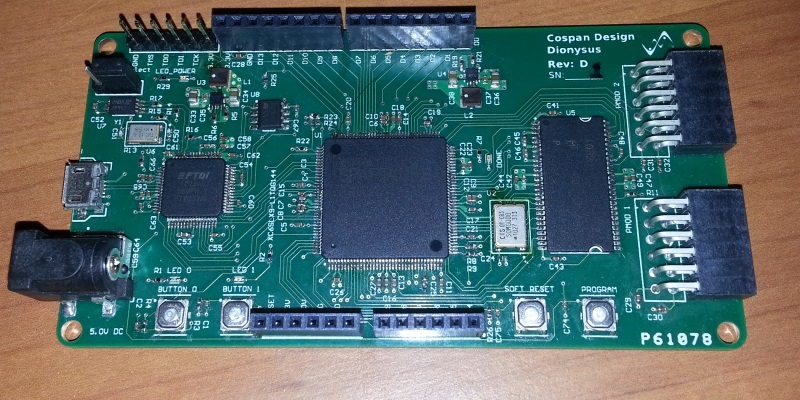
My FPGA development board came with many things. But one thing that was not included was an Ethernet phy. It would have made the project much easier due to lwip (light weight ip) that was included in Altium, but since the IDE required an Ethernet phy hdl implementation before I could use the rich features (without a lot of hacking) I turned to the serial port.
Inheritance doesn’t exist within C, but the team at LCM utilized function pointers to accomplish the same ends as an inherited class would. Basically implementing the functions designated by the function pointers was all that was needed in order to get the system up and running. In order to use two way communication on a the serial port was another story. I’ve included my serial provider in hopes that it can be adapted towards a more general platform. I used the mqueue.h (message queues) provided by Altium, and unfortunately I think those libraries are platform specific (EDIT, thanks for the feedback Woodrow Douglass, mqueue.h isn’t specific to the platform). I believe they can be easily replaced with pipes, which isn’t part of Altium’s software IPC repertoire.
I am very new to threading, and I wasn’t able to get my read thread to sleep because for some reason the fread function wouldn’t block, and this put the thread to sleep. I needed to force the thread to sleep after every packet of data I received. I believe that this could effect performance a little, but I didn’t understand threading well enough to implement a better solution.
LCM For Android
LCM for android didn’t take nearly as long as the soft processor. I basically dropped the package into a Android project, and let it scream at me until I was able to get rid of the specific parts that didn’t work. Unfortunately, I think the Android developer team hadn’t implemented multicasting on Android until the most recent release. This is unfortunate because my development board, and phone go up to Android 1.6, and I don’t think either of them can support the 2.0 version. This means that UDP (Which I believe is the primary provider of LCM) is out for now. I’ve included my source code for a running android implementation. The serial provider for Android is a work around more than a true serial provider.
Android doesn’t have any support for serial, The previous time I got Java talking to a serial port I had a lot of hoops to jump through, so I understood that getting serial communication was not an easy task. I wrote a daemon that works in the native GNU/Linux environment that Android sits on top of. It must be run as root, and it opens two serial ports on one end, and three sockets on the other. The serial provider in Android simply communicates through a raw socket, and that information is relayed through the serial port to the FPGA.
Extra Notes
My code for the lcm.c, and lcm_serial.c is riddled with a lot of comments. I plan on cleaning it up a lot, but I left it in so that anybody wishing to use my work can see where I modified the original code.
For both LCM implementation lcm-gen works unmodified, so far. A lot more testing must be done before I will be confident in it.
File Links:
LCM for Altium Soft Processor
LCM for Android